<?xml version="1.0" encoding="utf-8"?><feed xmlns="http://www.w3.org/2005/Atom" ><generator uri="https://jekyllrb.com/" version="3.10.0">Jekyll</generator><link href="https://raccoin.org/feed.xml" rel="self" type="application/atom+xml" /><link href="https://raccoin.org/" rel="alternate" type="text/html" /><updated>2026-05-21T10:49:06+00:00</updated><id>https://raccoin.org/feed.xml</id><title type="html">Raccoin</title><subtitle>Crypto Portfolio and Tax Reporting Tool.</subtitle><author><name>© Thorbjørn Lindeijer</name></author><entry><title type="html">Raccoin 0.2 – Tax Reporting That Works for Me</title><link href="https://raccoin.org/release/2024/01/04/raccoin-0-2.html" rel="alternate" type="text/html" title="Raccoin 0.2 – Tax Reporting That Works for Me" /><published>2024-01-04T00:00:00+00:00</published><updated>2024-01-04T00:00:00+00:00</updated><id>https://raccoin.org/release/2024/01/04/raccoin-0-2</id><content type="html" xml:base="https://raccoin.org/release/2024/01/04/raccoin-0-2.html"><![CDATA[<p>Two weeks ago I’ve finally sent in my tax documents, giving the tax authorities
their requested overview of 10 years of mostly misguided crypto trading history.
In the two months since the <a href="/release/2023/10/26/raccoin-0-1.html">initial release of Raccoin</a> I’ve made many necessary improvements and
fixes. Today I’m sharing these improvements with you!</p>

<h2 id="more-convenient-interface">More Convenient Interface</h2>

<p>Raccoin will now automatically restore the previously open portfolio. To close
it or switch to a different portfolio, simply click the new “Close” or “Load”
buttons. To export all available reports at once, you can now click the new
“Export All” button.</p>

<p>A few common buttons now have icons instead or in addition to their text. Adding
a new wallet can now be triggered by pressing <kbd>Enter</kbd> in the name
field.</p>

<p><img src="/screenshots/raccoin-0.2-new-summary.png" alt="New Reports Summary" /></p>

<p>The long-term and short-term capital losses are now displayed separately on the
“Reports” page. This is relevant in countries where only short-term losses can
be subtracted from short-term gains (like Germany).</p>

<h2 id="transaction-filters-and-navigation">Transaction Filters and Navigation</h2>

<p>To make it easier to see the capital gain warnings when you have a lot of
transactions, a new filter button was added to show only those transactions that
triggered warnings (for example when there was not enough balance, or the cost
base is unknown). A text input was also added, which currently allows you to
filter transactions by their description or hash.</p>

<p><img src="/screenshots/raccoin-0.2-new-filters.png" alt="New Filters" /></p>

<p>It was already possible to filter transactions by currency by clicking the
currency on the Portfolio page. Since only those currencies you are currently
holding show up there, it is now also possible to click the currencies on the
Reports page.</p>

<p>Finally, to aid with understanding capital gain events, the “Bought” and “Sold”
columns on the Reports page are now clickable to jump to the relevant
transaction.</p>

<h2 id="new-transaction-types-and-processing-enhancements">New Transaction Types and Processing Enhancements</h2>

<h3 id="transaction-types">Transaction Types</h3>

<p>Raccoin now supports “lost”, “stolen” and “burn” transactions. These are
currently all treated as a trade with the sale price being zero, though note
that this might not be correct in your tax region.</p>

<p>There is now also support for a “swap” transaction. This can be used to swap one
currency for another without triggering a capital gain event. It can be used
when a currency was renamed, wrapped / unwrapped, redenominated, etc. The new
currency inherits the cost base and purchase date of the original one. It is
used for 1INCH / st1INCH swaps when importing an Ethereum wallet.</p>

<h3 id="transaction-processing">Transaction Processing</h3>

<p>Trades done via intermediate currencies can now be merged when the amount
matches up exactly and they happen within 5 minutes of each other. For example
when trading BCH to BTC and then BTC to XLM, it is treated as a BCH to XLM
trade. This is because such a trade is often only done for technical reasons and
it can be useful to not consider it a BTC disposal event. It also helps avoid
missing fiat values for intermediate assets used in Stellar blockchain’s <a href="https://developers.stellar.org/docs/encyclopedia/path-payments">path
payments</a>.</p>

<p>Merging of partial trades was improved by also sorting transactions by fee
currency, which can vary for a single trade (observed on Binance).</p>

<p>Trade fees are now taken into account for calculating the cost base, when the
outgoing currency matches the fee currency. In other cases, trade fees now count
towards the short term cost (I’m not entirely sure if this is correct).</p>

<p>The handling of fees on transactions that are ignored because of their currency
was fixed, in the case where the fee currency is not ignored.</p>

<p>The Bitcoin price history shipping with the app was updated.</p>

<h2 id="new-csv-formats-and-other-import-improvements">New CSV Formats and Other Import Improvements</h2>

<p>Support was added for importing CSV files exported from the (bankrupt)
<a href="https://www.liquid.com/">Liquid</a> and <a href="https://ftx.com/">FTX</a> exchanges. It is
also now possible to import transactions from <a href="https://docs.trezor.io/trezor-suite/features/transactions/export.html">Trezor Suite’s JSON
export</a>,
in addition to the CSV format (though not yet through the UI).</p>

<p>Raccoin now supports more variations of the Poloniex CSV export, and the
accuracy was improved (fee amounts in the CSV export needed to be cut to 8
decimal places). Also, BCH withdrawals in Bittrex CSV files now get assigned a
0.001 BCH fee. ETH deposits to Bittrex can now get merged as transfers. The
Binance CSV import now understands “Fiat Withdraw” in addition to “Fiat
Withdrawal”.</p>

<p>The AQUA, 1INCH and FTT currencies are now recognized. Block explorer links were
added for Dash, Monero and Ripple transactions.</p>

<p>The Stellar account import was improved to recognize USDC and AQUA assets and to
mark small amounts of incoming XLM as spam.</p>

<h3 id="bitcoin-ethereum-and-stellar-sync-improvements">Bitcoin, Ethereum and Stellar Sync Improvements</h3>

<p>The main improvement for synchronizing wallets is that it is now asynchroneous,
no longer blocking the UI. In addition, an issue causing the application to lock
up indefinitely during syncing was fixed. There is however still room for
improvement. UI feedback during sync is missing and it is still not possible to
add wallets through the UI.</p>

<p>Ethereum address import now recognizes token trades and the fee calculation was
fixed.</p>

<p>The Bitcoin x/y/zpub import was improved to continue scanning for more addresses
(now skipping up to 10 rather than up to 3 unused addresses), in order to not
miss some transactions.</p>

<h2 id="enhanced-exports">Enhanced Exports</h2>

<p>The new summary displayed on the “Reports” page is now also present in the
“Report Summary” CSV export.</p>

<p>An additional CSV file is now exported when using the “Export All” action, with
the yearly data relevant for tax reporting in Germany.</p>

<h2 id="misc-ui-improvements">Misc UI Improvements</h2>

<p>A button was added to ignore a currency to the Portfolio page. To remove an
ignored currency the portfolio file still needs to be edited manually.</p>

<p>UI accessibility is disabled for now, due to <a href="https://github.com/slint-ui/slint/issues/3867">performance
issues</a>.</p>

<p>Fixed switching to “Portfolio” page each time a change is made.</p>

<p>Fixed timestamps to use local timezone in UI and CSV export, rather than UTC and
Europe/Berlin respectively.</p>

<p>Updated to <a href="https://slint.dev/">Slint</a> 1.3.2. This changed the scrollbars to
overlay style and the margins have been adjusted accordingly.</p>

<h1 id="a-look-ahead">A Look Ahead</h1>

<p>With my tax reporting needs being met for now, development of Raccoin is
expected to slow down. I am still planning to add a few more features, most
importantly the UI to add wallets and dynamic downloading of price history, but
I am not sure when I will get to them.</p>

<p>I do however intend to actively maintain this software, respond to questions and
review contributions. If it looks like Raccoin would suit your needs, but you’re
running into an issue with it, feel free to <a href="https://github.com/bjorn/raccoin/issues">open an
issue</a>!</p>]]></content><author><name>Thorbjørn Lindeijer</name></author><category term="release" /><summary type="html"><![CDATA[Two weeks ago I’ve finally sent in my tax documents, giving the tax authorities their requested overview of 10 years of mostly misguided crypto trading history. In the two months since the initial release of Raccoin I’ve made many necessary improvements and fixes. Today I’m sharing these improvements with you!]]></summary><media:thumbnail xmlns:media="http://search.yahoo.com/mrss/" url="https://raccoin.org/screenshots/social-share.png" /><media:content medium="image" url="https://raccoin.org/screenshots/social-share.png" xmlns:media="http://search.yahoo.com/mrss/" /></entry><entry><title type="html">Raccoin 0.1 – Yet Another Crypto Tax Tool</title><link href="https://raccoin.org/release/2023/10/26/raccoin-0-1.html" rel="alternate" type="text/html" title="Raccoin 0.1 – Yet Another Crypto Tax Tool" /><published>2023-10-26T00:00:00+00:00</published><updated>2023-10-26T00:00:00+00:00</updated><id>https://raccoin.org/release/2023/10/26/raccoin-0-1</id><content type="html" xml:base="https://raccoin.org/release/2023/10/26/raccoin-0-1.html"><![CDATA[<p>After two months of frantic development, I hereby present the initial version of
a new tool for calculating the capital gains made on crypto trades. Driven by
personal need, I had to take a detour from my usual projects…</p>

<h2 id="some-background">Some Background</h2>

<p>When the tax authorities contacted me about declaring the capital gain income
related to trading cryptocurrencies, I already had a hunch that things could get
complicated. I had been trading on a number of exchanges that no longer exist,
traded crypto currencies that are no longer relevant and I have used many
differents wallets.</p>

<p>Numerous online tools exist today that make the job easier by importing
transactions from the blockchain or from popular exchanges. After trying out a
few of them though, I noticed several common issues:</p>

<ul>
  <li>
    <p><strong>They were slow.</strong> The browser isn’t well known for creating efficient user
interfaces, and even when just showing 25 transactions at a time they were
laggy. Navigating over a 1000 transactions was very painful.</p>
  </li>
  <li>
    <p><strong>They were expensive.</strong> Once you reach over 1000 transactions, most of these
services aren’t cheap and generally have a yearly recurring plan.</p>
  </li>
  <li>
    <p><strong>They owned my data.</strong> They generally did not provide a way to export or
import all the data I was putting into them. This creates a lock-in and makes
it hard to understand the changes you make over time.</p>
  </li>
</ul>

<p>There were many other issues. I could only manage a single portfolio per
account. I ran into UI bugs and other strange behavior. It was impossible for me
to confidently declare my capital gain taxes using any of the services I tried.</p>

<h2 id="a-new-tool-was-born">A New Tool was Born</h2>

<p>The great thing about the services I tried was their friendly user interface. I
wanted that, but I also wanted it to be <em>fast</em>, <em>free</em> and with the data <em>owned
by me</em>.</p>

<p>I also was looking for an excuse to start a project in
<a href="https://www.rust-lang.org/">Rust</a> and try out <a href="https://slint.dev/">Slint</a>.</p>

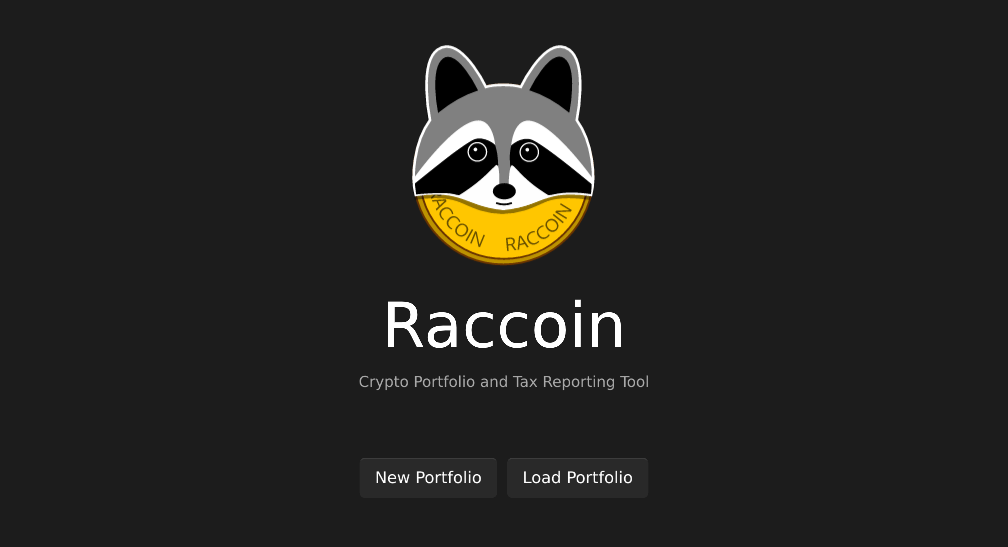
<p>I thought it would take a few weeks at most, but unfortunately it took over two
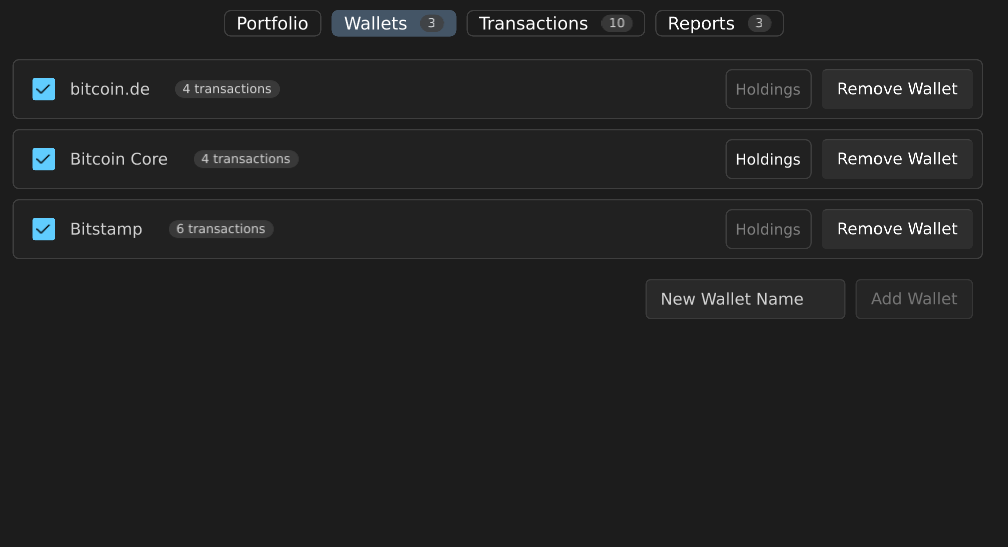
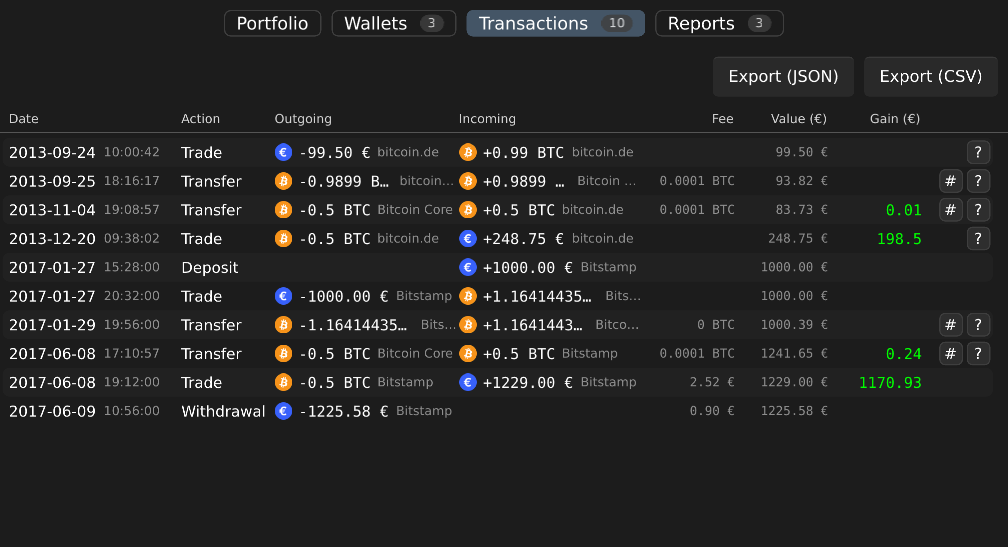
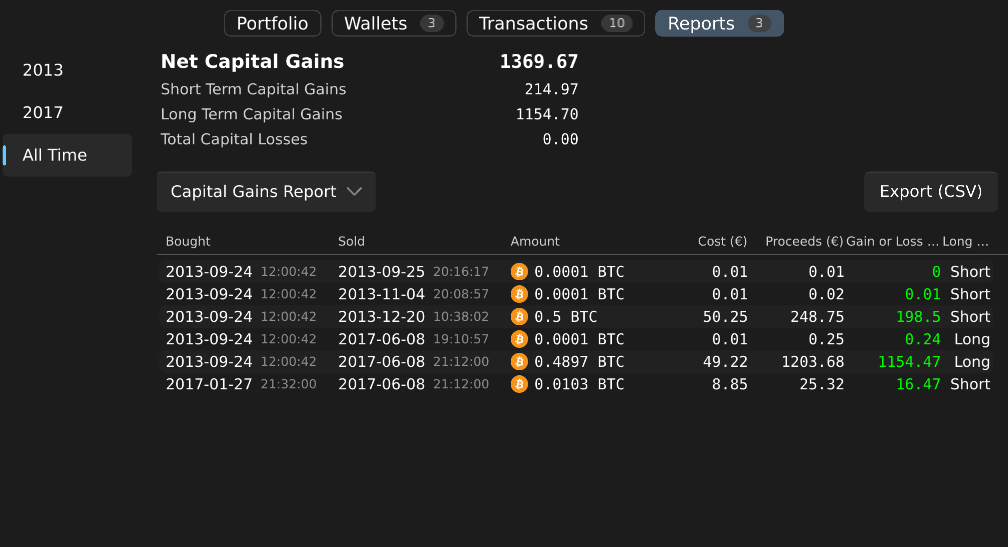
months. But now, I can present to you the initial release of Raccoin, yet
another crypto tax tool!</p>

<p><img src="/screenshots/raccoin-welcome.png" alt="Raccoin Welcome" /></p>

<div class="thumbnails">
<img class="thumbnail" src="/screenshots/raccoin-wallets.png" alt="The wallets page shows the transaction sources" style="width: 25%" />
<img class="thumbnail" src="/screenshots/raccoin-transactions.png" alt="The transactions page provides a detailed view of events" style="width: 25%" />
<img class="thumbnail" src="/screenshots/raccoin-reports.png" alt="Reports can be exported as CSV files" style="width: 25%" />
</div>

<p>It loads a portfolio of over a 1000 transactions in a <em>split second</em>, is free <em>as
in freedom</em> and you can simply keep your portfolios and all their data sources in
<em>a local git repository</em>.</p>

<p>Yet it still doesn’t do many things that most people would need from this kind
of software:</p>

<ul>
  <li>
    <p>It can’t yet download crypto currency price history on-demand (but it can be
hard-coded to do so, so this shouldn’t be too far away). The price history is
necessary to calculate the gains on crypto to crypto trades, or when generally
sending and receiving crypto.</p>
  </li>
  <li>
    <p>While it can sync Bitcoin, Ethereum and Stellar wallets, it is not possible to
add these sources through the UI yet. The syncing also still hangs the UI,
sometimes indefinitely.</p>
  </li>
  <li>
    <p>It only recognizes a static list of built-in currencies. It should really
dynamically get the information, icons, etc. from CoinMarketCap and other
sources (like for Ethereum tokens or Stellar assets).</p>
  </li>
  <li>
    <p>It thinks fiat means Euro. Yes, some work will be needed to make it work with
other fiat currencies.</p>
  </li>
</ul>

<p>But it can only get better from here! If you see this and think it could work
for you, please don’t hesitate to <a href="https://github.com/bjorn/raccoin/issues">get in touch</a>!</p>

<div id="fullpage" onclick="this.style.display='none';">
    <img id="fullpage-image" />
    <div id="fullpage-caption"></div>
</div>

<script>
const thumbnails = document.querySelectorAll('.thumbnail');
const fullPage = document.querySelector('#fullpage');
const fullPageImg = document.querySelector('#fullpage-image');
const fullPageCaption = document.querySelector('#fullpage-caption');

thumbnails.forEach(thumbnail => {
  thumbnail.addEventListener('click', function() {
    fullPageImg.src = thumbnail.src;
    fullPageCaption.innerHTML = thumbnail.alt;
    fullPage.style.display = 'flex';
  });
});
</script>]]></content><author><name>Thorbjørn Lindeijer</name></author><category term="release" /><summary type="html"><![CDATA[After two months of frantic development, I hereby present the initial version of a new tool for calculating the capital gains made on crypto trades. Driven by personal need, I had to take a detour from my usual projects…]]></summary><media:thumbnail xmlns:media="http://search.yahoo.com/mrss/" url="https://raccoin.org/screenshots/social-share.png" /><media:content medium="image" url="https://raccoin.org/screenshots/social-share.png" xmlns:media="http://search.yahoo.com/mrss/" /></entry></feed>